























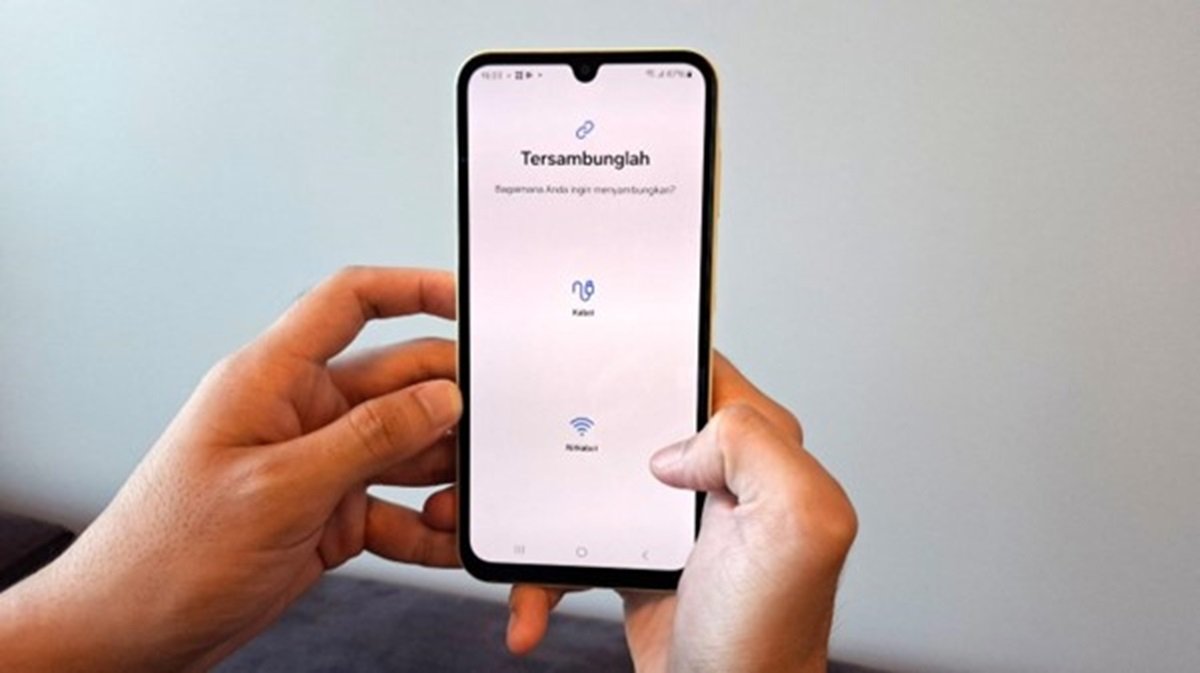

Samsung is always innovating in developing technology that makes it easier for its users. Ever heard of the Smart Switch feature? This feature makes it easy for users to move data from an old phone to a new phone. How to use the Smart Switch feature? For this, we have discussed completely and briefly below.
Also Read: 5 Pros of Samsung Galaxy A55 5G from Performance to Screen
What is the Smart Switch Feature?
The Smart Switch feature is a built-in application from Samsung designed to make it easier for users to move data from an old smartphone to a new smartphone.
This feature can handle various types of data ranging from photos, videos, contacts, WhatsApp chat history, to important documents. You don't need to worry about losing important data or having to bother resetting your new smartphone.
Also Read: 6 Advantages of Samsung A15 Series for More Comfortable Ngonten, Only 2 Millions!
How to Use Smart Switch Feature on Samsung Galaxy A15
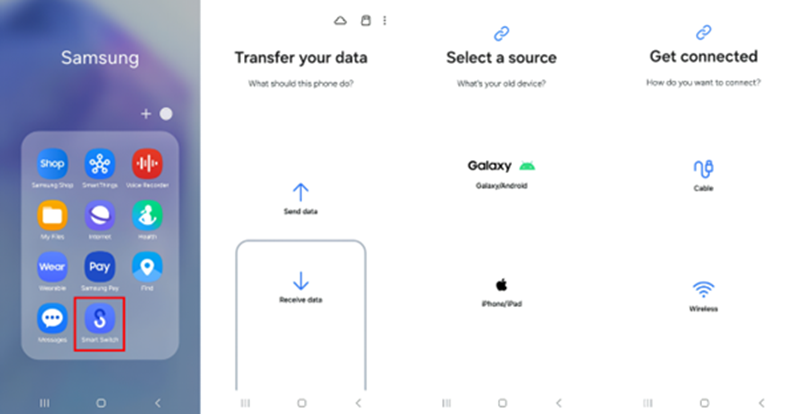
To use Smart Switch on Galaxy A15, follow these steps:
- Open the Smart Switch app on your new smartphone.
- Select the "Receive data" option to receive data from the old smartphone.
- Specify the OS of the old smartphone as the source of the data you want to move.
- Select the desired method and receive the data.
You can also use Smart Switch if your old smartphone is not Samsung. Simply download the Smart Switch app from the Play Store or App Store, and scan the QR Code available on your new Samsung smartphone to start the transfer.
Also Read: 5 Advantages of Samsung A25 5G to Make Current Content Instantly hit!
Samsung Galaxy A15 Specifications and Price
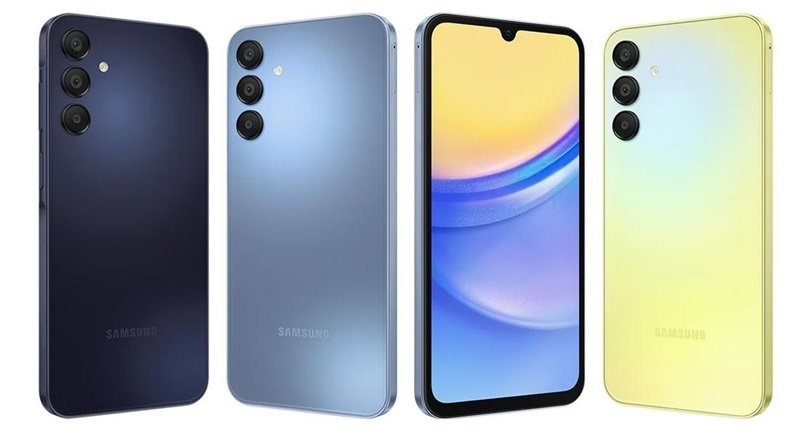
These are the brief specifications for the Samsung Galaxy A15:
| Specifications | Details |
|---|---|
| Screen | 6.5-inch Super AMOLED |
| Memory | 8/128GB and 8/256GB |
| Main Camera | 50MP |
| Color | Yellow, Blue, Blue Black |
Meanwhile, the price of this Samsung Galaxy A15 depends on the memory version you choose, here are the details:
| Memory Version | Price |
|---|---|
| 128GB | IDR 2,899,000 |
| 256GB | Rp3,299,000 |
This smartphone is already available at Samsung Stores across Indonesia and your favorite e-commerce. So, there's no reason why you shouldn't switch to the Galaxy A15 and enjoy all the convenience it has to offer.
Take advantage of the Smart Switch feature and enjoy a seamless transition to a new smartphone. Are you ready to upgrade? Visit your favorite Samsung Store or e-commerce and get the Galaxy A15 now!